Technical Documents
Specifications
Brand
StarTech.comUSB Standard
USB 3.0
Bus Type
USB-C
Maximum Resolution
4096 x 2160
Number of Usb Ports
4
Video Connection Type
DisplayPort, HDMI
USB Connection Type
USB A, USB C
Number of Displays Supported
2
Country of Origin
China
Product Details
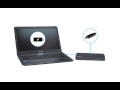
Enhance your productivity by turning your Windows® based USB-C™ laptop into a full-scale workstation. This dual-monitor USB-C dock lets you easily connect two monitors (1x HDMI and 1x DisplayPort) using one USB-C cable, with no setup of display drivers required, right out of the box. The USB-C dock provides 60W charging power, and four USB 3.0 ports to connect devices. With easy dual-monitor setup, the dock is ideal for wide-scale use in office workstations.
Create a Dual Monitor Workstation
This USB-C dock lets you connect dual monitors with flexible options, and with no display driver setup.
Connect your USB-C laptop to:
Dual displays: 1x DisplayPort and 1x HDMI (cable included) at 1920 x 1200 resolution @ 60Hz
You can also connect to a single 4K HDMI or DisplayPort display. The included 3.3 ft. (1 m) long USB-C cable makes it easy to position your laptop and improves the video signal quality.
Connect Your Devices
Unlike some USB-C docks that may drop to USB 2.0 and limit Ethernet performance, this USB Type-C™ dock offers full USB 3.0 and network bandwidth. This provides faster data transfer speeds when using your USB 3.0 peripherals and supports true Gigabit Ethernet network throughput.
USB Type-C™ dock gives you plenty of ports with four USB 3.0 ports, a reliable Gigabit Ethernet port and easy connection to the microphone and headset ports. Connect flash drives, keyboard, mouse or external hard drives using the three Type-A ports (including one Fast-Charge port). Connect a USB-C device with the USB-C port.
60W Charging Power
The USB C docking station with Power Delivery will power and charge (up to 60W) your laptop, while powering your devices.
The MST30C2DPPD is backed by a StarTech.com 3-year warranty and free lifetime technical support.
Ensure your laptops drivers, firmware, and operating system are current prior to using the docking station.
Video output capabilities depend on the video card and hardware specifications of the connected laptop.
Not all USB-C ports support the full functionality of the USB Type-C standard. Ensure that your laptop
USB-C port supports DP Alt Mode and USB Power Delivery.
Not all Thunderbolt 3 USB-C ports support the full functionality of the Thunderbolt 3 standard. Ensure that your laptop Thunderbolt 3 port supports USB Power Delivery.
USB-C is a type of USB connector that is capable of supporting the following:
Data transfer speeds up to 10Gbps, if you use USB 3.1.
Bi-directional power delivery up to 100W, if both the USB host connection and the device support it.
Alternate modes, which deliver different types of data at different speeds. For example, DisplayPort Alternate Mode (DP Alt Mode).
If using Thunderbolt 3 over USB-C, the connection is capable of additional features. For example, Thunderbolt 3 is capable of 40Gbps of total bandwidth.
Not all USB-C ports or devices are capable of supporting all of the features listed above, or all of the features at the maximum capabilities. If you require a specific USB-C feature, your USB host connection, cables, and device must all support the feature that you require.

Stock information temporarily unavailable.
Price on asking
1
Price on asking
Stock information temporarily unavailable.
1
Technical Documents
Specifications
Brand
StarTech.comUSB Standard
USB 3.0
Bus Type
USB-C
Maximum Resolution
4096 x 2160
Number of Usb Ports
4
Video Connection Type
DisplayPort, HDMI
USB Connection Type
USB A, USB C
Number of Displays Supported
2
Country of Origin
China
Product Details
Enhance your productivity by turning your Windows® based USB-C™ laptop into a full-scale workstation. This dual-monitor USB-C dock lets you easily connect two monitors (1x HDMI and 1x DisplayPort) using one USB-C cable, with no setup of display drivers required, right out of the box. The USB-C dock provides 60W charging power, and four USB 3.0 ports to connect devices. With easy dual-monitor setup, the dock is ideal for wide-scale use in office workstations.
Create a Dual Monitor Workstation
This USB-C dock lets you connect dual monitors with flexible options, and with no display driver setup.
Connect your USB-C laptop to:
Dual displays: 1x DisplayPort and 1x HDMI (cable included) at 1920 x 1200 resolution @ 60Hz
You can also connect to a single 4K HDMI or DisplayPort display. The included 3.3 ft. (1 m) long USB-C cable makes it easy to position your laptop and improves the video signal quality.
Connect Your Devices
Unlike some USB-C docks that may drop to USB 2.0 and limit Ethernet performance, this USB Type-C™ dock offers full USB 3.0 and network bandwidth. This provides faster data transfer speeds when using your USB 3.0 peripherals and supports true Gigabit Ethernet network throughput.
USB Type-C™ dock gives you plenty of ports with four USB 3.0 ports, a reliable Gigabit Ethernet port and easy connection to the microphone and headset ports. Connect flash drives, keyboard, mouse or external hard drives using the three Type-A ports (including one Fast-Charge port). Connect a USB-C device with the USB-C port.
60W Charging Power
The USB C docking station with Power Delivery will power and charge (up to 60W) your laptop, while powering your devices.
The MST30C2DPPD is backed by a StarTech.com 3-year warranty and free lifetime technical support.
Ensure your laptops drivers, firmware, and operating system are current prior to using the docking station.
Video output capabilities depend on the video card and hardware specifications of the connected laptop.
Not all USB-C ports support the full functionality of the USB Type-C standard. Ensure that your laptop
USB-C port supports DP Alt Mode and USB Power Delivery.
Not all Thunderbolt 3 USB-C ports support the full functionality of the Thunderbolt 3 standard. Ensure that your laptop Thunderbolt 3 port supports USB Power Delivery.
USB-C is a type of USB connector that is capable of supporting the following:
Data transfer speeds up to 10Gbps, if you use USB 3.1.
Bi-directional power delivery up to 100W, if both the USB host connection and the device support it.
Alternate modes, which deliver different types of data at different speeds. For example, DisplayPort Alternate Mode (DP Alt Mode).
If using Thunderbolt 3 over USB-C, the connection is capable of additional features. For example, Thunderbolt 3 is capable of 40Gbps of total bandwidth.
Not all USB-C ports or devices are capable of supporting all of the features listed above, or all of the features at the maximum capabilities. If you require a specific USB-C feature, your USB host connection, cables, and device must all support the feature that you require.