Technical Documents
Specifications
Brand
StarTech.comProduct Type
Monitor Arm
Colour
Silver
Maximum Load
14
Mount Type
Desk Mount
VESA Configurations
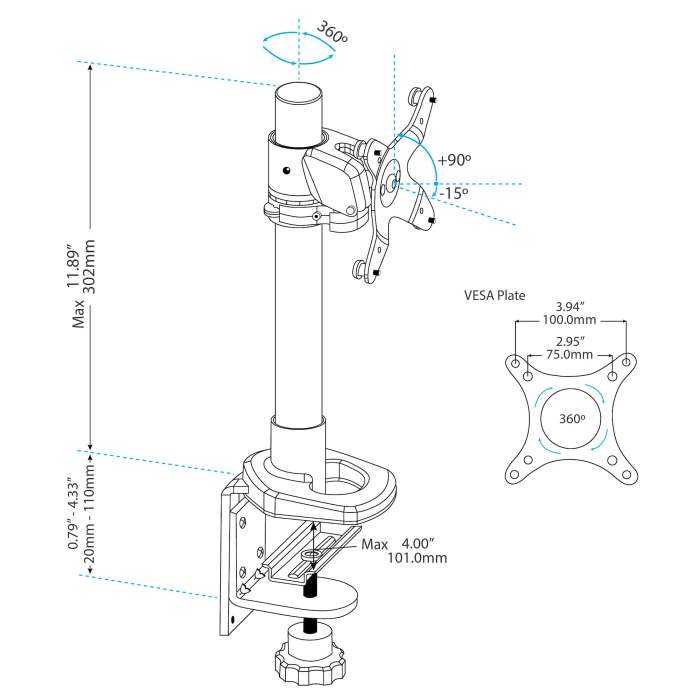
75 x75 mm or 100 x 100 mm
Depth
548mm
Country of Origin
Taiwan, Province Of China
Product Details
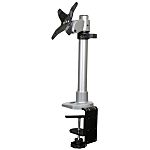
The ARMPIVOT Adjustable Monitor Arm lets you mount a display to your desk or table on a simple yet stylish monitor pole, with tilt, pivot and height adjustments. This TAA compliant product adheres to the requirements of the US Federal Trade Agreements Act (TAA), allowing government GSA Schedule purchases.
The desk-mount monitor arm features an 11.89in (302mm) tall support post, for a much greater height adjustment range than a typical monitor stand can provide. For viewing longer pages or blocks of code without scrolling, the LCD arm also supports landscape to portrait display rotation.
Mounting your displays on a support post above the desk surface enables you to adjust your display height, position and viewing angles easily for an ergonomic work environment, with the added benefit of reclaiming valuable workspace on your desk.
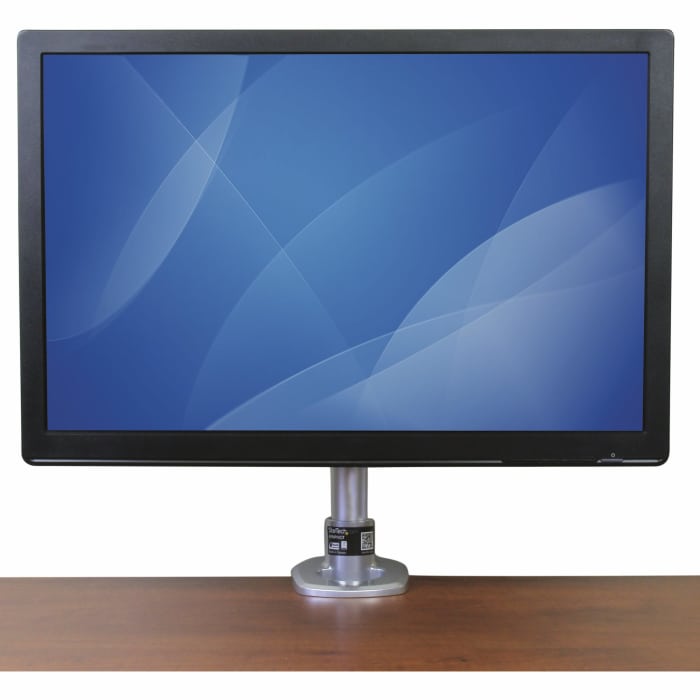
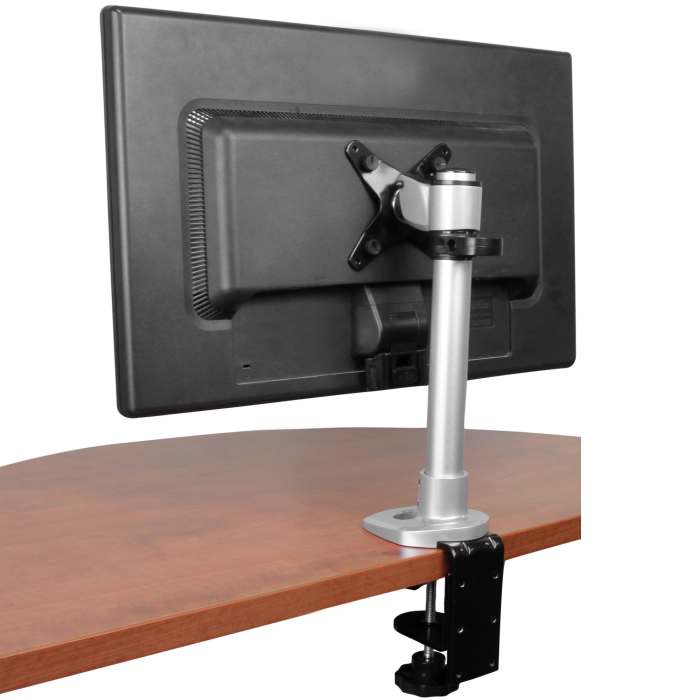
Supporting 12 - 30" displays up to a maximum weight capacity of 30lbs (14kg), the monitor mount holds your display with ease, and integrates a cable management hook to keep things neat. For added installation flexibility, the included mounting hardware can either clamp to the side of your desk, table or mount through a grommet hole.
Backed by a StarTech.com 5-year warranty and free, lifetime technical support.
How easy is it to install the monitor arm?
The monitor arm is provided with all the necessary mounting materials. All StarTech mounts come with installations manuals and offers step-by-step guidance for safe mounting.
Does the TV bracket tilt or swivel?
This arm will tilt TVs/Monitors +90 /-15 degrees and features a 360 ° rotation around the support post.
Where can I find my VESA configuration size?
It is advised that you look in your product manual to find the correct VESA size. If you do not have this available you can measure the distance between the four holes in the back of your TV or Monitor. Measure the horizontal and vertical distances from the holes.
Desk & Grommet Clamp
Yes
Steel & Plastic
Stock information temporarily unavailable.
€ 150.97
€ 150.97 Each (Exc. VAT)
1
€ 150.97
€ 150.97 Each (Exc. VAT)
Stock information temporarily unavailable.
1
Technical Documents
Specifications
Brand
StarTech.comProduct Type
Monitor Arm
Colour
Silver
Maximum Load
14
Mount Type
Desk Mount
VESA Configurations
75 x75 mm or 100 x 100 mm
Depth
548mm
Country of Origin
Taiwan, Province Of China
Product Details
The ARMPIVOT Adjustable Monitor Arm lets you mount a display to your desk or table on a simple yet stylish monitor pole, with tilt, pivot and height adjustments. This TAA compliant product adheres to the requirements of the US Federal Trade Agreements Act (TAA), allowing government GSA Schedule purchases.
The desk-mount monitor arm features an 11.89in (302mm) tall support post, for a much greater height adjustment range than a typical monitor stand can provide. For viewing longer pages or blocks of code without scrolling, the LCD arm also supports landscape to portrait display rotation.
Mounting your displays on a support post above the desk surface enables you to adjust your display height, position and viewing angles easily for an ergonomic work environment, with the added benefit of reclaiming valuable workspace on your desk.
Supporting 12 - 30" displays up to a maximum weight capacity of 30lbs (14kg), the monitor mount holds your display with ease, and integrates a cable management hook to keep things neat. For added installation flexibility, the included mounting hardware can either clamp to the side of your desk, table or mount through a grommet hole.
Backed by a StarTech.com 5-year warranty and free, lifetime technical support.
How easy is it to install the monitor arm?
The monitor arm is provided with all the necessary mounting materials. All StarTech mounts come with installations manuals and offers step-by-step guidance for safe mounting.
Does the TV bracket tilt or swivel?
This arm will tilt TVs/Monitors +90 /-15 degrees and features a 360 ° rotation around the support post.
Where can I find my VESA configuration size?
It is advised that you look in your product manual to find the correct VESA size. If you do not have this available you can measure the distance between the four holes in the back of your TV or Monitor. Measure the horizontal and vertical distances from the holes.
Desk & Grommet Clamp
Yes
Steel & Plastic