Technical Documents
Specifications
Brand
4D SystemsDiagonal Display Size
3.5in
Product Type
Raspberry Pi Screen
Display Technology
Resistive Touch Screen
Kit Name
Diablo16
Standards/Approvals
RoHS
Country of Origin
Philippines
Product Details
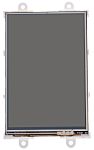
4D System's range of resistive touch LCD Displays for the Raspberry Pi come in 3 different sizes: 3.5 in (8417829), 4.3 in (8646869) and 7 in (8417831).
You can connect the Pi to program the LCD display for graphics, images, text, sound and logging data.
Key Features of the LCD Displays
•DIABLO-16 4DGL graphics controller
•4D Systems Workshop 4 IDE software
•Variety of serial commands
•Power supply comes directly from the Pi
How do I connect my Pi to the display?
Firstly, connect the 4D serial Pi adaptor to your Pi board. Finally, connect the 5-way jumper cable between the adaptor and the LCD display. It's that easy.
Contents
•LCD display
•4D serial Pi adaptor
•150 mm 5-way female-to-female jumper cable
•Quick start user guide
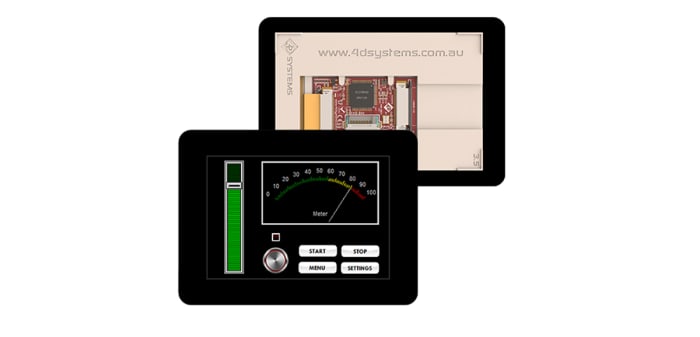
For new designs the 4D Systems gen4 range of LCD displays should be considered, including:
• gen4-uLCD-43DT (RS part 1257947)
• gen4-uLCD-70DT (RS part 1257951)
Stock information temporarily unavailable.
€ 92.14
€ 92.14 Each (Exc. VAT)
1
€ 92.14
€ 92.14 Each (Exc. VAT)
Stock information temporarily unavailable.
1
Technical Documents
Specifications
Brand
4D SystemsDiagonal Display Size
3.5in
Product Type
Raspberry Pi Screen
Display Technology
Resistive Touch Screen
Kit Name
Diablo16
Standards/Approvals
RoHS
Country of Origin
Philippines
Product Details
4D System's range of resistive touch LCD Displays for the Raspberry Pi come in 3 different sizes: 3.5 in (8417829), 4.3 in (8646869) and 7 in (8417831).
You can connect the Pi to program the LCD display for graphics, images, text, sound and logging data.
Key Features of the LCD Displays
•DIABLO-16 4DGL graphics controller
•4D Systems Workshop 4 IDE software
•Variety of serial commands
•Power supply comes directly from the Pi
How do I connect my Pi to the display?
Firstly, connect the 4D serial Pi adaptor to your Pi board. Finally, connect the 5-way jumper cable between the adaptor and the LCD display. It's that easy.
Contents
•LCD display
•4D serial Pi adaptor
•150 mm 5-way female-to-female jumper cable
•Quick start user guide
For new designs the 4D Systems gen4 range of LCD displays should be considered, including:
• gen4-uLCD-43DT (RS part 1257947)
• gen4-uLCD-70DT (RS part 1257951)